Build a benefits programme that your employees will love
Identify which benefits employees value the most with our employee benefits evaluation tool.


Never start from scratch
Use expert-designed employee benefits templates and built-in research methods such as MaxDiff, or let AI build your survey in under a minute.
Get 360-degree insights
Monitor the impact of workplace benefits by combining that data with results from employee satisfaction surveys and onboarding surveys.
Decipher data like a pro
Make data-driven decisions faster with analysis tools and features such as Word Cloud, Sentiment Analysis and filters.
Create benefits surveys with ease
- Build employee benefits surveys in under a minute with AI-powered survey creation features and expert-written templates.
- Use advanced question types or solutions such as MaxDiff analysis to both prioritise benefits and maximise value with ease.
- Create a secure, confidential forum for benefits feedback with advanced anonymity features.
POPULAR FEATURES

Collaborate securely with your team
- Quickly and easily share surveys with a group of people in your team.
- Create a custom library of shared assets, such as templates, themes and images.
- Manage members, assign roles and change owner status so that each team member has the appropriate level of access.
POPULAR FEATURES

Uncover insights to shape your rewards programme
- Segment your insights according to demographics and other variables, enabling you to design offerings that are as inclusive as possible.
- Pinpoint where to focus your efforts with easy-to-use analysis tools that help you filter and compare your results.
POPULAR FEATURES

SurveyMonkey integrates with 200+ go-to apps


YES Communities boosts employee engagement and retention
“Based on our survey insights, we’re considering adjustments to our 401K programme, assessing a new insurance carrier, increasing bereavement leave, exploring parental leave options and forming focus groups to follow up on key topics.”
Patrice Mitchell | Culture Ambassador, YES Communities

woom collects insights to support employees’ career goals
“Implementing any kind of employee survey can feel a little overwhelming. SurveyMonkey’s templated questions allow us to build a beautiful framework to ask the right questions and get the answers we’re looking for.”
Hillary Granda | Head of Connected Operations and Strategic Projects, woom
Plans that suit you or your team
Basic
For anyone just getting started. Create unlimited surveys and collect 25 free responses in each survey.
Individuals
For individual users who need advanced tools and want to save with a flexible, feature-rich plan.
Teams
For growing teams who need great survey tools, branding controls and real-time collaboration features.
Enterprise
For organisations that need secure access, admin tools and powerful integrations at scale.
Have any questions? If so, we’re here with the answers.
- What is an employee benefits survey?
- How do I measure employee satisfaction with benefits?
- Which questions should be included in a benefits survey?
- How can surveys improve employee benefits programmes?
Resources to help you invest in the right workplace benefits

Employee benefits survey templates
Ask the right questions with our customisable employee benefits survey template.
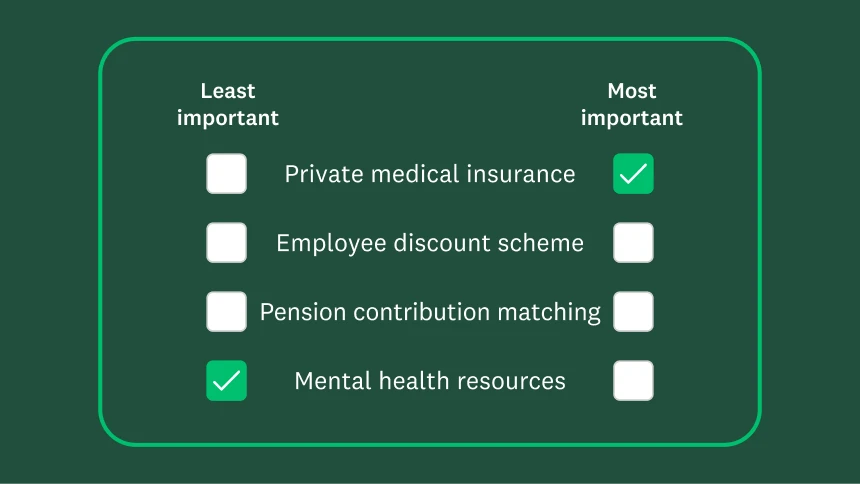
Uncover what’s most important
Our MaxDiff solution helps you prioritise the benefits that your employees value the most.

Demo series: Top solutions for HR
Get an on-demand overview of how HR pros use SurveyMonkey, including for benefits feedback.